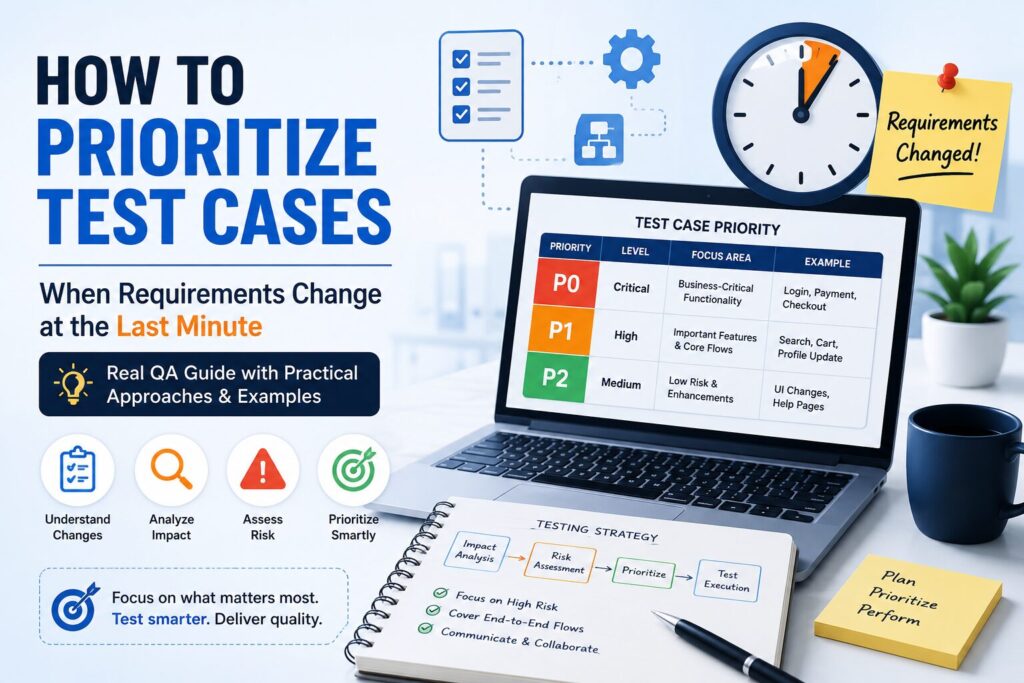
How to Prioritize Test Cases When Requirements Change at the Last Minute (Real QA Guide)
Project scope changes are one of the biggest challenges every QA Engineer faces. A new feature is added just before release, an existing workflow is modified, or the client requests last-minute changes after development is already complete.
Unfortunately, release dates rarely move.
As a tester, you’re expected to ensure product quality with less testing time than originally planned. Trying to execute every test case under these circumstances is neither practical nor efficient.
The real skill isn’t testing everything—it’s knowing what to test first.
In this guide, I’ll share the practical approach experienced QA teams use to prioritize test cases during last-minute requirement changes. These techniques have helped me handle tight deadlines while still reducing production risks.
🤔 Why Requirement Changes Are Risky
Requirement changes made late in the sprint can introduce unexpected risks across the application.
Some common challenges include:
✔ Limited testing time
✔ Increased pressure from stakeholders
✔ Incomplete documentation
✔ Frequent code changes
✔ Higher probability of regression defects
✔ Limited automation coverage for new functionality
Instead of trying to test everything, successful QA teams focus on identifying the areas that carry the highest business risk.
Step 1: Understand Exactly What Changed
Before executing a single test case, understand the requirement completely.
Ask questions such as:
- What functionality has changed?
- Is this a new feature or an enhancement?
- Which modules are affected?
- Are any existing workflows impacted?
- Does the database or API change?
- Are there any UI changes?
Never assume the change affects only one screen.
A small backend modification can impact multiple modules across the application.
💡 Pro Tip
Spend 15–20 minutes understanding the requirement before testing. This often saves hours of unnecessary execution later.
Step 2: Perform a Quick Impact Analysis
Once the requirement is clear, identify every area that could be affected.
For example:
Requirement
A discount coupon feature has been added during checkout.
Possible impacted modules:
- Shopping Cart
- Checkout
- Payment Gateway
- Invoice Generation
- Order History
- Email Notifications
- Admin Reports
Although only one feature changed, several business flows may require validation.
Creating a simple impact list helps ensure that no critical module is overlooked.
Step 3: Prioritize Business-Critical Functionality
Not every feature deserves the same level of attention.
Always start with the business flows that directly affect customers or revenue.
Examples include:
✔ User Login
✔ Registration
✔ Payments
✔ Checkout
✔ Order Placement
✔ Account Creation
✔ Password Reset
✔ Critical APIs
If these workflows fail after release, the business impact can be significant.
Therefore, these test cases should always receive the highest priority.
Step 4: Focus on High-Risk Areas
Some modules naturally have a higher probability of failure.
Give extra attention to areas such as:
- Newly developed functionality
- Complex business calculations
- Third-party integrations
- Frequently modified modules
- Features with a history of production defects
For example, payment calculations or tax logic often require more testing than cosmetic UI changes because even a small defect can affect thousands of users.
Experienced testers know that production issues usually appear in high-risk areas first.
💡 Preparing for QA Interviews?
Learning testing concepts is important, but many QA interviews also include practical questions about Test Cases, Requirement Traceability Matrix (RTM), and Bug Reports.
To help beginners practice real QA documentation, I created a QA Starter Toolkit containing ready-to-use templates used in real software testing projects.
The toolkit includes:
✔ Test Case Template
✔ Bug Report Template
✔ Requirement Traceability Matrix (RTM)
✔ Sample Filled Examples
👉 Download the QA Starter Toolkit here
Step 5: Prioritize End-to-End User Journeys
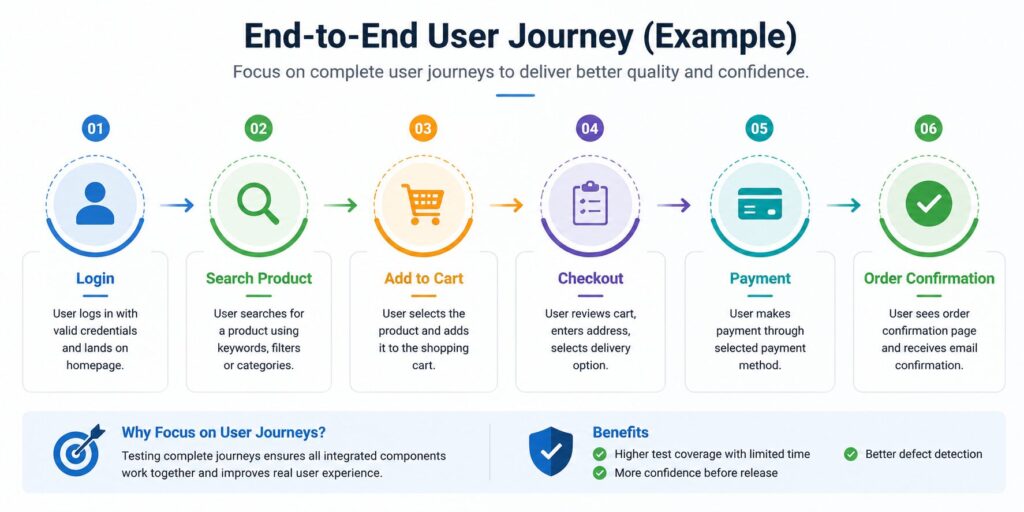
When time is limited, avoid testing individual modules in isolation. Instead, focus on complete user journeys that customers perform every day.
For example, in an e-commerce application, a critical user journey might look like this:
Login → Search Product → Add to Cart → Checkout → Payment → Order Confirmation
Even if each module appears to work individually, a failure in any step can prevent customers from completing a purchase.
Testing complete user journeys provides better confidence than executing random test cases from different modules.
Step 6: Apply Risk-Based Testing
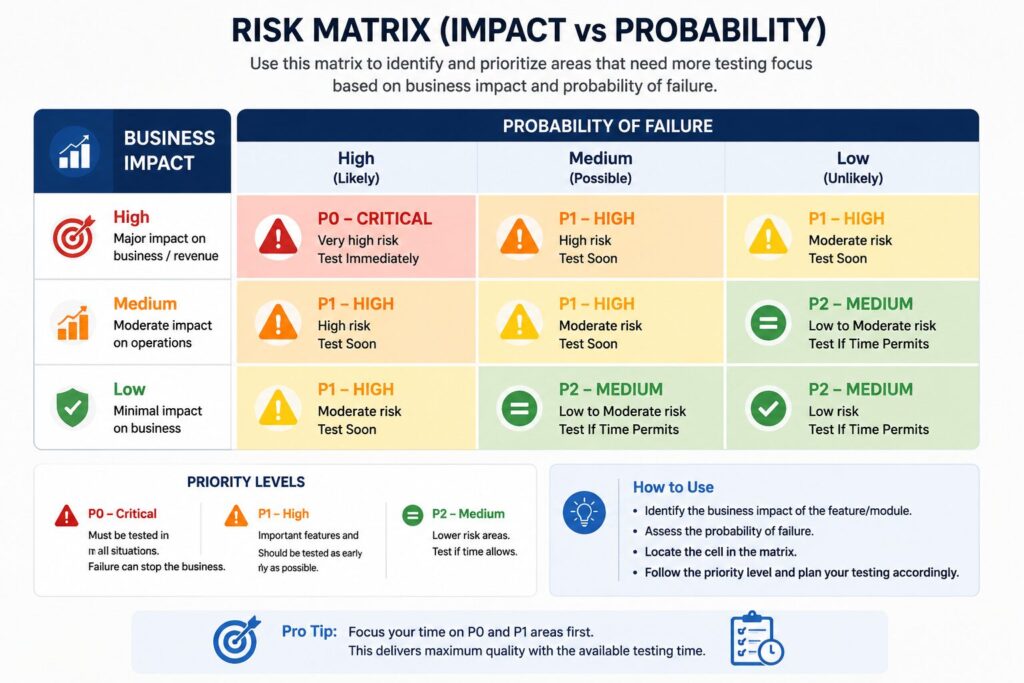
One of the most effective approaches during last-minute requirement changes is Risk-Based Testing.
Instead of giving equal importance to every test case, prioritize testing based on business impact and the probability of failure.
A simple way to think about it is:
Risk = Business Impact × Probability of Failure
Examples:
| Feature | Business Impact | Risk Level | Priority |
|---|---|---|---|
| Payment Processing | High | High | P0 |
| User Login | High | High | P0 |
| Product Search | Medium | Medium | P1 |
| Profile Update | Medium | Low | P1 |
| Theme Color Change | Low | Low | P2 |
This approach helps the QA team focus on the areas most likely to affect customers and business operations.
Step 7: Execute Smoke Testing Before Regression
A common mistake is jumping directly into regression testing.
Instead, first verify that the application is stable enough for detailed testing.
A practical execution order is:
- Smoke Testing
- Sanity Testing
- Critical Regression Testing
- Full Regression Testing (if time allows)
Smoke testing quickly confirms that the build is usable. Once the build is stable, testers can concentrate on validating the newly changed functionality before expanding test coverage.
Step 8: Communicate Risks and Testing Scope Clearly
During tight deadlines, communication becomes just as important as testing itself.
Be transparent with stakeholders about:
- What functionality has been tested.
- Which areas are still pending.
- Any assumptions made during testing.
- Risks associated with releasing without full regression.
This helps project managers and business stakeholders make informed release decisions.
Clear communication also avoids misunderstandings if defects are discovered after deployment.
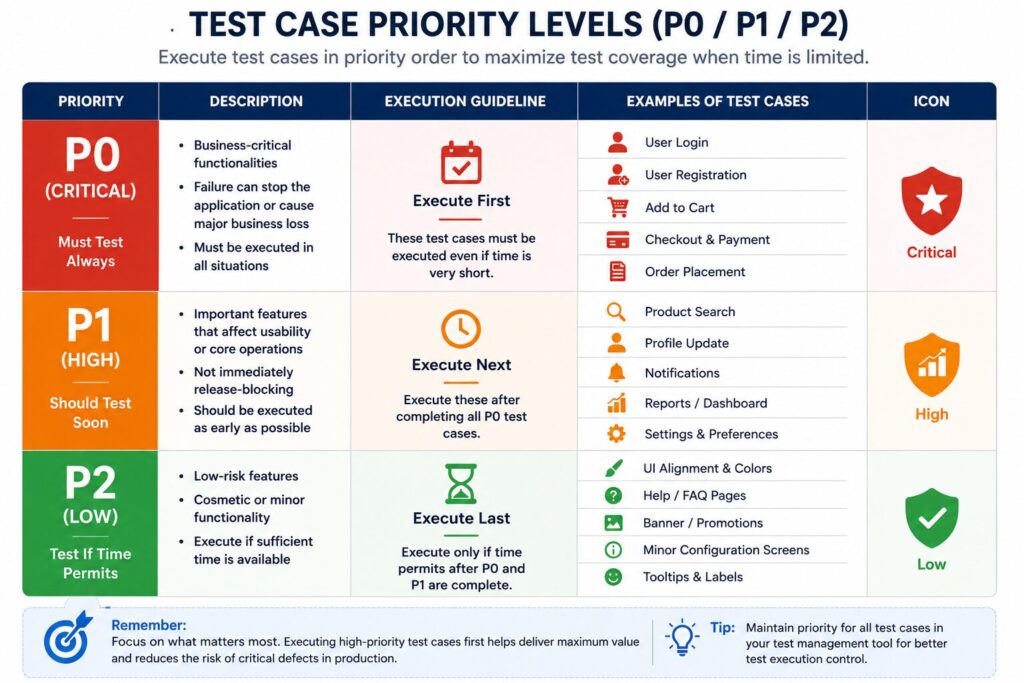
Step 9: Use Test Case Priorities Effectively
Well-maintained test cases should already have priority levels assigned.
A commonly used approach is:
P0 – Critical
These test cases must always be executed.
Examples:
- Login
- Payment
- Checkout
- User Registration
- Order Placement
P1 – High Priority
These are important features but are not immediately release-blocking.
Examples:
- Profile Update
- Search Filters
- Notifications
- Reports
P2 – Low Priority
Execute these only if sufficient time is available.
Examples:
- UI Alignment
- Cosmetic Changes
- Help Pages
- Minor Configuration Screens
Prioritizing test cases in this manner ensures that the most valuable testing is completed first when deadlines are tight.
Real-World Example
Imagine you’re testing an online shopping application.
One day before release, the client requests a change in the discount calculation during checkout.
Although the change appears small, several parts of the application could be affected.
Instead of testing the entire application, focus on the impacted areas first:
✅ Coupon Validation
✅ Shopping Cart
✅ Checkout
✅ Tax Calculation
✅ Payment Gateway
✅ Order Summary
✅ Invoice Generation
✅ Order History
At the same time, execute a quick smoke test on other critical modules such as Login, Registration, and Product Search to ensure there are no unexpected side effects.
This targeted approach delivers better coverage than attempting a full regression with limited time.
Common Mistakes Testers Make During Scope Changes
Even experienced testers can make mistakes when requirements change unexpectedly.
Some common mistakes include:
❌ Trying to execute every test case instead of prioritizing.
❌ Ignoring impact analysis and testing only the changed screen.
❌ Skipping smoke testing before regression.
❌ Not communicating testing limitations to stakeholders.
❌ Spending too much time on low-risk or cosmetic defects.
Avoiding these mistakes helps improve testing efficiency and reduces production risks.
Best Practices for Handling Requirement Changes
Experienced QA professionals usually follow these practices:
✔ Understand the requirement before testing.
✔ Perform a quick impact analysis.
✔ Prioritize business-critical functionality.
✔ Apply Risk-Based Testing.
✔ Execute smoke testing before regression.
✔ Focus on complete user journeys.
✔ Communicate testing limitations clearly.
✔ Use automation wherever possible to save manual effort.
These practices help teams maintain software quality even under tight release schedules.
Frequently Asked Questions (FAQs)
1. What is test case prioritization?
Test case prioritization is the process of executing the most important test cases first based on business impact, risk, and project deadlines. It helps QA teams maximize test coverage when time is limited.
2. What is Risk-Based Testing?
Risk-Based Testing is a testing approach where test cases are prioritized according to the probability of failure and the business impact of a defect.
Features with higher risk receive more testing attention than low-risk areas.
3. What should be tested first when requirements change?
Start by testing:
- Business-critical functionality
- Changed modules
- High-risk features
- End-to-end user journeys
- Smoke test scenarios
This approach helps reduce the chances of critical production issues.
4. Why is impact analysis important?
Impact analysis helps identify all modules that may be affected by a change.
Even a small modification can impact multiple features, APIs, databases, reports, or integrations. Performing impact analysis reduces the risk of missing important regression scenarios.
5. How does automation help during last-minute requirement changes?
Automation saves valuable testing time by executing stable smoke and regression test suites quickly.
This allows manual testers to concentrate on newly developed functionality, exploratory testing, and high-risk scenarios instead of repeatedly testing unchanged features.
Final Thoughts
Requirement changes are a normal part of modern software development. Every QA Engineer will eventually face situations where new functionality is introduced just before a release or project timelines suddenly become shorter.
The difference between an average tester and an experienced QA professional is not the number of test cases executed—it’s the ability to make smart testing decisions under pressure.
Instead of trying to test everything, focus on understanding the change, analyzing the impact, identifying business-critical functionality, and prioritizing high-risk areas. This approach improves testing efficiency while reducing the chances of critical defects reaching production.
Remember, successful testing is about delivering maximum value with the time available.
💡 Want to Practice Real QA Documentation?
Understanding testing concepts is important, but many QA interviews also include practical questions about Test Cases, Requirement Traceability Matrix (RTM), and Bug Reports.
To help beginners practice with real project documents, I created a QA Starter Toolkit containing ready-to-use templates used in software testing projects.
The toolkit includes:
✔ Test Case Template
✔ Requirement Traceability Matrix (RTM)
✔ Bug Report Template
✔ Sample Filled Examples
✔ Beginner-Friendly Format
👉 Download the QA Starter Toolkit here
Continue Your QA Learning
If you’re preparing for QA interviews or looking to strengthen your software testing knowledge, explore these guides:
👉 Top Software Testing Interview Questions and Answers
👉 Top Selenium Interview Questions and Answers
👉 Top Core Java Interview Questions and Answers
👉 Top SQL Interview Questions and Answers
👉 Top Jira Interview Questions and Answers
👉 Top API Testing Interview Questions and Answers
These guides cover the most frequently asked interview questions with practical explanations and real-world examples to help you prepare with confidence.
Conclusion
Handling last-minute requirement changes is one of the most valuable skills a QA Engineer can develop.
Projects rarely go exactly as planned. Requirements evolve, deadlines change, and unexpected challenges arise. By understanding the impact of changes, prioritizing business-critical functionality, applying risk-based testing, and communicating clearly with stakeholders, testers can maintain software quality even under tight timelines.
Ultimately, great testers are not those who execute the most test cases—they are the ones who know which test cases matter most.
If you found this guide helpful, consider bookmarking it and sharing it with your team. It can serve as a practical reference whenever project scope changes unexpectedly.
