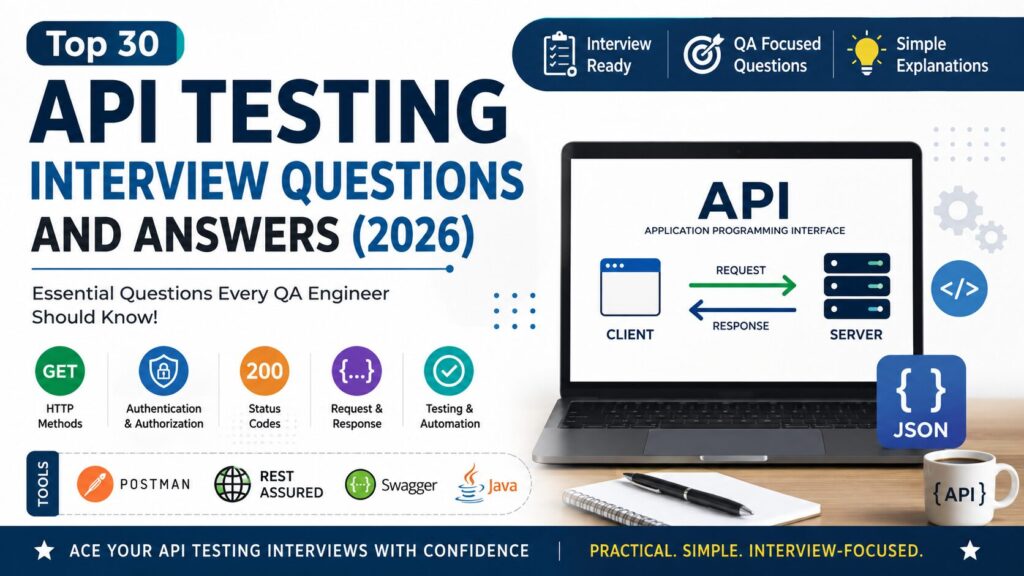
Top 30 API Testing Interview Questions and Answers (2026)
Practical API Testing interview questions with simple explanations covering REST APIs, HTTP Methods, Status Codes, Authentication, JSON, Postman, and real-world testing scenarios.
👋 Introduction
API Testing is one of the most important skills for QA Engineers, Automation Testers, SDETs, and Software Testers. Almost every modern application relies on APIs to exchange data between systems, making API testing a common topic in software testing interviews.
Whether you are preparing for your first QA interview or have several years of testing experience, interviewers often ask questions about REST APIs, HTTP methods, authentication, status codes, JSON, and API validation. Therefore, having a strong understanding of API concepts can significantly improve your interview performance.
Many candidates know the theory but struggle to explain API concepts with practical examples. This guide focuses on the most frequently asked API Testing interview questions with clear, interview-friendly answers that are easy to understand and remember.
💡 Preparing for QA interviews?
Many QA candidates understand testing concepts but struggle when interviewers ask practical questions related to Test Cases, RTM, Bug Reports, and real project documentation.
To help beginners practice real QA documentation, I created a QA Starter Toolkit with ready-to-use templates used in real software testing projects.
✔ Test Case Template
✔ Requirement Traceability Matrix (RTM)
✔ Bug Report Template
✔ Sample Filled Examples
👉 Download the QA Starter Toolkit here
🧠 API Basics
1. What is an API?
API (Application Programming Interface) is a set of rules that allows two software applications to communicate with each other. It enables systems to exchange data securely without exposing their internal implementation.
Example: When you order food using a mobile app, the app sends API requests to the restaurant’s server to retrieve menus, place orders, and track deliveries.
2. What is API Testing?
API Testing is the process of verifying that APIs function correctly, return accurate data, handle errors properly, and meet performance and security requirements.
Unlike UI testing, API testing validates the application’s business logic directly without interacting with the user interface.
3. Why is API Testing important?
API Testing is important because it helps detect defects early in the development cycle. In addition, it verifies business logic, improves application reliability, and reduces testing time.
Many organizations automate API testing because APIs remain more stable than user interfaces.
4. What is the difference between API Testing and UI Testing?
| API Testing | UI Testing |
|---|---|
| Tests backend functionality | Tests user interface |
| Faster execution | Slower execution |
| More stable | UI changes frequently |
| Validates business logic | Validates user experience |
5. What is a REST API?
A REST API is an API that follows the principles of Representational State Transfer (REST). It uses standard HTTP methods such as GET, POST, PUT, DELETE, and PATCH to perform operations on resources.
REST APIs are lightweight, scalable, and commonly exchange data in JSON format.
🌐 HTTP Methods
6. What are the main HTTP methods used in REST APIs?
The most commonly used HTTP methods are:
- GET – Retrieve data
- POST – Create a new resource
- PUT – Update an existing resource completely
- PATCH – Update part of an existing resource
- DELETE – Remove a resource
7. What is the difference between PUT and PATCH?
PUT updates the entire resource. If a field is missing, it may overwrite the existing value.
PATCH updates only the fields provided in the request, making it more efficient for partial updates.
8. What is an API Endpoint?
An API endpoint is a specific URL used to access a resource or perform an operation through an API.
Example:
GET /users/101
retrieves details of the user with ID 101.
9. What are Request Headers?
Request headers contain additional information sent along with an API request.
Common headers include:
- Authorization
- Content-Type
- Accept
- User-Agent
These headers help the server understand how to process the request.
10. What is JSON?
JSON (JavaScript Object Notation) is the most commonly used data format for exchanging information between clients and servers.
It is lightweight, human-readable, and supported by almost every programming language.
Example:
{
  "id":101,
  "name":"Deepak",
  "role":"QA Engineer"
}
📦 API Requests and Responses
11. What is a Request Body?
A request body contains the data sent by the client to the server. It is commonly used with POST, PUT, and PATCH requests to create or update resources.
For example, when creating a new user, the request body may include the user’s name, email, and password in JSON format.
12. What is a Response Body?
A response body contains the data returned by the server after processing an API request. It usually includes the requested information, a success message, or an error message.
Most REST APIs return responses in JSON format because it is lightweight and easy to read.
13. What are Query Parameters?
Query parameters are values appended to the end of a URL to filter or sort data.
Example:
GET /users?country=India
Here, country=India is a query parameter.
14. What are Path Parameters?
Path parameters are part of the API endpoint and identify a specific resource.
Example:
GET /users/101
Here, 101 is the path parameter used to retrieve a particular user.
15. What is the difference between Query Parameters and Path Parameters?
Path parameters identify a specific resource.
Query parameters filter, search, or sort data.
For example:
/users/101 → Fetches a specific user.
/users?city=Delhi → Fetches users from Delhi.
🔐 Authentication and Authorization
16. What is the difference between Authentication and Authorization?
Authentication verifies the identity of a user or application.
Authorization determines what resources or actions the authenticated user is allowed to access.
Authentication happens first, followed by authorization.
17. What is an API Key?
An API Key is a unique identifier used to authenticate an application when accessing an API.
It is usually sent in the request header or query parameter. However, API Keys provide basic security and are often combined with additional authentication mechanisms.
18. What is a Bearer Token?
A Bearer Token is an access token used to authorize API requests.
After a user successfully logs in, the server generates a token. The client includes this token in subsequent requests to access protected resources.
19. What is OAuth?
OAuth is an authorization framework that allows users to grant third-party applications limited access to their resources without sharing passwords.
It is commonly used by applications that support Google, Facebook, or GitHub login.
20. What is Basic Authentication?
Basic Authentication sends the username and password with every request after encoding them using Base64.
Although simple to implement, it should always be used over HTTPS because Base64 encoding does not encrypt credentials.
📮 HTTP Status Codes
21. What are HTTP Status Codes?
HTTP Status Codes indicate the outcome of an API request.
Some common status codes include:
- 200 OK – Request completed successfully.
- 201 Created – Resource created successfully.
- 400 Bad Request – Invalid request from the client.
- 401 Unauthorized – Authentication is required.
- 404 Not Found – Requested resource does not exist.
- 500 Internal Server Error – Unexpected server error.
22. What is the difference between 401 and 403 Status Codes?
401 Unauthorized means authentication is missing or invalid.
403 Forbidden means the user is authenticated but does not have permission to access the requested resource.
23. What should you validate in an API response?
During API testing, testers should validate:
- Status Code
- Response Body
- Response Headers
- Response Time
- Data Accuracy
- JSON Schema
- Error Messages
Validating these elements ensures the API behaves as expected.
🧪 Practical API Testing Questions
24. Which tools have you used for API Testing?
Some commonly used API testing tools are:
- Postman
- Rest Assured
- Swagger
- SoapUI
- Insomnia
Among these, Postman and Rest Assured are the most popular in QA automation projects.
25. What is Postman?
Postman is a popular API testing tool used to send HTTP requests, validate responses, automate collections, and test REST APIs.
It is widely used by testers during manual API validation.
26. What is Rest Assured?
Rest Assured is a Java library used to automate REST API testing.
It supports request creation, response validation, authentication, schema validation, and integration with frameworks such as TestNG and JUnit.
27. What is JSON Schema Validation?
JSON Schema Validation verifies whether an API response matches the expected JSON structure.
It helps detect missing fields, incorrect data types, and unexpected response changes.
28. How do you validate an API response?
A tester typically validates:
- HTTP Status Code
- Response Body
- Headers
- Response Time
- JSON Schema
- Required Fields
- Business Rules
This ensures the API is working correctly from both technical and functional perspectives.
29. How do you automate API Testing?
API automation is commonly performed using tools such as Rest Assured, Postman Collections, or other automation frameworks.
A typical automation flow includes creating requests, sending them to the API, validating responses, and integrating the tests into a CI/CD pipeline for continuous execution.
30. Explain your API Testing process in your current project.
In my project, I first understand the API requirements and expected business behavior. Then I prepare test scenarios, validate requests and responses using Postman, and automate stable APIs using Rest Assured with Java.
Furthermore, I verify status codes, response bodies, response times, authentication, and database updates wherever applicable. Finally, the automated API tests are executed as part of the regression suite through Jenkins before every release.
🚀 Want to Practice Real QA Documentation?
Interview questions are important, but many QA candidates struggle when interviewers ask about practical project documents such as Test Cases, RTM, and Bug Reports.
To help beginners understand real QA work, I created a QA Starter Toolkit that includes:
✔ Test Case Template
✔ Requirement Traceability Matrix (RTM)
✔ Bug Report Template
✔ Sample Filled Examples
✔ Beginner-Friendly Format
👉 Download the QA Starter Toolkit here
📌 Conclusion
API Testing has become an essential skill for QA Engineers, Automation Testers, and SDETs. Understanding concepts such as REST APIs, HTTP methods, authentication, status codes, request validation, and API automation will help you answer interview questions with confidence and perform better in real-world projects.
Instead of memorizing definitions, focus on understanding how APIs work and practice using tools like Postman and Rest Assured. With regular hands-on experience, you’ll be well prepared for both interviews and day-to-day API testing tasks.
You May Also Like
👉 Top Software Testing Interview Questions and Answers
👉 Top Selenium Interview Questions and Answers
👉 Top Core Java Interview Questions and Answers
👉 Top SQL Interview Questions and Answers
👉 Top Jira Interview Questions and Answers
👉How to Prioritize Test Cases When Requirements Change at the Last Minute