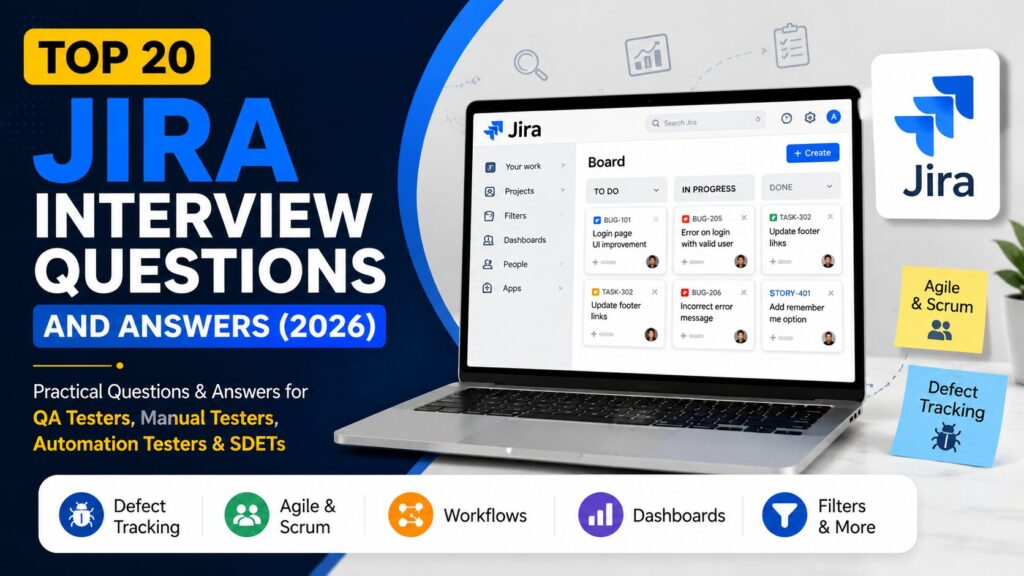
Top 20 Jira Interview Questions and Answers (2026)
Practical Jira interview questions with simple explanations covering defect tracking, Agile, Scrum, workflows, dashboards, and real-world testing scenarios.
👋 Introduction
Jira is one of the most widely used project management and defect tracking tools in the software industry. You are preparing for a Manual Testing, QA Automation, SDET, or Agile testing interview, and Jira-related questions are commonly asked by interviewers.
In most software projects, Jira is used to manage requirements, track defects, plan sprints, assign tasks, and monitor project progress. Therefore, having a strong understanding of Jira can help you perform better in interviews and work more effectively in real-world testing environments.
Most candidates know how to create bugs in Jira but struggle when interviewers ask practical questions about workflows, dashboards, Scrum boards, issue types, and Agile processes. To help you prepare confidently, this guide covers the most frequently asked Jira interview questions with practical and easy-to-understand answers.
💡 Preparing for QA interviews?
Many QA candidates understand testing concepts but struggle when interviewers ask practical questions related to Test Cases, RTM, Bug Reports, and real project documentation.
To help beginners practice real QA documentation, I created a QA Starter Toolkit with ready-to-use templates used in software testing projects.
👉 Download the QA Starter Toolkit here
🧠Jira Basics
1. What is Jira?
It is a project management and issue-tracking tool developed by Atlassian. It is widely used by software development and testing teams to manage tasks, track defects, plan sprints, and monitor project progress.
2. Why is Jira used in software testing?
It helps testing teams manage defects, assign work items, track testing activities, and collaborate effectively with developers and stakeholders.
In addition, Jira provides complete visibility into project progress and defect status.
3. What are the different issue types in Jira?
Some common issue types are:
Epic
Story
Task
Sub-task
Bug
Each issue type is used to track different kinds of work within a project.
4. What is a Jira Project?
A Jira Project is a collection of issues, workflows, users, and configurations used to manage a specific product or application.
5. What is an Epic in Jira?
An Epic is a large body of work that can be divided into multiple user stories or tasks.
For example, a complete Login Module may be tracked as an Epic, while individual requirements become separate stories.
🐞 Defect Tracking Questions
6. How do you log a defect in Jira?
To log a defect:
- Open the project.
- Click Create Issue.
- Select Bug as the issue type.
- Enter summary, description, priority, and attachments.
- Assign the issue and save it.
7. What fields are commonly included in a Jira bug?
A Jira bug usually contains:
Summary
Description
Steps to Reproduce
Expected Result
Actual Result
Priority
Severity
Attachments
Assignee
8. What is a defect workflow in Jira?
A defect workflow represents the lifecycle of a bug.
A common workflow is:
Open → Assigned → In Progress → Fixed → Retest → Closed
However, workflows may vary depending on project requirements and team processes.
9. What is the difference between Severity and Priority?
Severity indicates the impact of a defect on the application.
Priority indicates how quickly the defect should be fixed.
For example, a spelling mistake may have low severity but high priority if it appears on a customer-facing page.
10. How do you reopen a defect?
If a defect still exists after a fix, the tester can move the issue back to a Reopened state and provide supporting evidence such as screenshots or logs.
📋 Agile and Scrum Questions
11. What is a Scrum Board?
A Scrum Board is used to manage sprint work. It helps teams track stories, tasks, and defects during an active sprint.
12. What is a Kanban Board?
A Kanban Board visualizes work items flowing through different stages without fixed sprint boundaries.
Therefore, Kanban Boards are commonly used by support and maintenance teams.
13. What is a Sprint?
A Sprint is a fixed time period, usually 1 to 4 weeks, during which a team completes a predefined set of work items.
14. What is a Product Backlog?
A Product Backlog is a prioritized list of features, enhancements, defects, and technical work that needs to be completed.
15. What is a User Story?
A User Story describes a requirement from the end user’s perspective.
Example:
“As a customer, I want to reset my password so that I can regain access to my account.”
⚙️ Jira Workflow Questions
16. What is a Workflow in Jira?
A Workflow defines the sequence of statuses and transitions that an issue follows during its lifecycle.
17. What are Statuses in Jira?
Statuses represent the current stage of an issue.
Examples:
To Do
In Progress
In Review
Done
18. What are Transitions?
Transitions are the actions used to move an issue from one status to another.
For example:
To Do → In Progress
19. What are Dashboards in Jira?
Dashboards provide visual reports and widgets that help teams monitor project progress, sprint status, defects, and team performance. Furthermore, dashboards help stakeholders monitor project health and team performance.
20. What are Filters in Jira?
Filters are saved search queries that allow users to quickly retrieve specific issues based on selected criteria.
For example, a tester may create a filter to display only high-priority open defects.
🚀 Want to Practice Real QA Documentation?
Interview questions are important, but many QA candidates struggle when interviewers ask about practical project documents such as Test Cases, RTM, and Bug Reports.
To help beginners understand real QA work, I created a QA Starter Toolkit that includes ready-to-use templates commonly used in software testing projects.
The toolkit includes:
Test Case Template
Requirement Traceability Matrix (RTM)
Bug Report Template
Sample Filled Examples
Beginner-Friendly Format
👉 Download the QA Starter Toolkit here
📌 Conclusion
As a result, it is one of the most important tools used by QA Engineers, Manual Testers, Automation Testers, and Agile teams. Understanding concepts such as issue types, workflows, defect management, Scrum boards, and dashboards can significantly improve your interview performance and help you contribute more effectively in real projects.
Therefore, instead of memorizing answers, focus on understanding how Jira is used in day-to-day project activities. This practical knowledge will help you answer interview questions confidently and work efficiently within Agile teams.
You May Also Like
👉 Top Software Testing Interview Questions and Answers
👉 Top Selenium Interview Questions and Answers
👉 Top Core Java Interview Questions and Answers
👉 Top SQL Interview Questions and Answers
👉 How to Prioritize Test Cases When Requirements Change at the Last Minute


You May Also Like

Top 100 Software Testing Interview Questions (2026) – Real QA Answers + Examples

Top 30 API Testing Interview Questions and Answers (2026)